for kitchen renovation companies
The review strategy that generates 20% more leads
Learn how to collect, analyze, and showcase reviews to grow your business and get more leads from your website. Put it into practice together with us in a meeting, or try Trustmary for free by yourself.
- Add reviews to your website with branded and stylish widgets
- Show the right reviews in the right places for the best impact
- Boost your visibility in search engines and AI answers
- Collect fresh reviews automatically and learn from customer insights

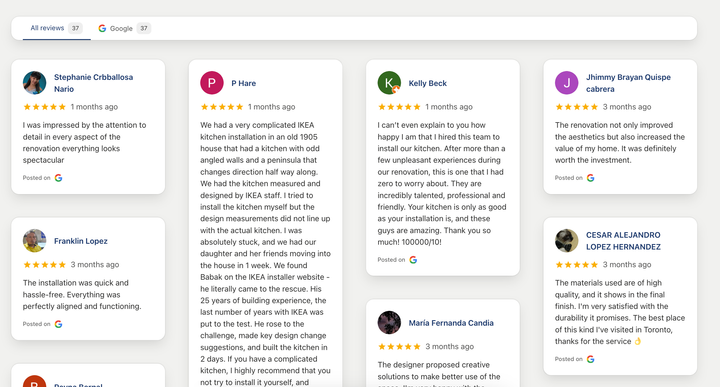
We’ve helped kitchen remodeling companies across the world to boost trust and customer understanding






7 steps to the most powerful review strategy
By following this plan, you can start getting more kitchen remodeling clients from your website. Set up and forget – reviews will be running in the background!
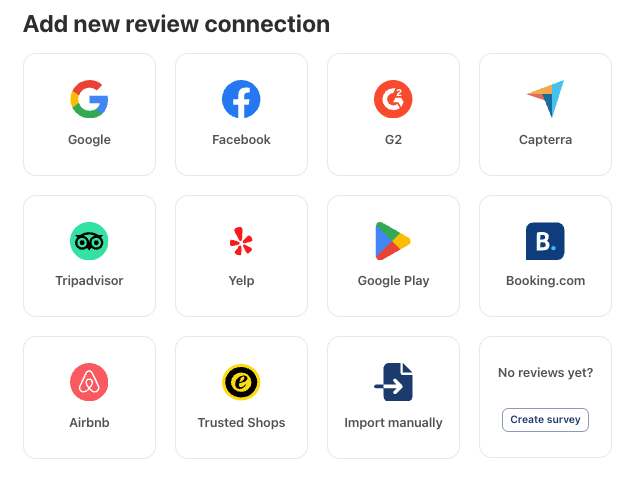
Step 1: Import reviews
If you already have reviews on Google, Facebook, Yelp, or you have collected them in a spreadsheet, import them into Trustmary in just a few clicks.
Step 2: Add reviews to your homepage
Add a review carousel with your best or latest reviews onto your homepage to build trust with social proof from past customers.
Adding a widget is simple: just choose which widget type you want to choose, then copy and paste an embed code.
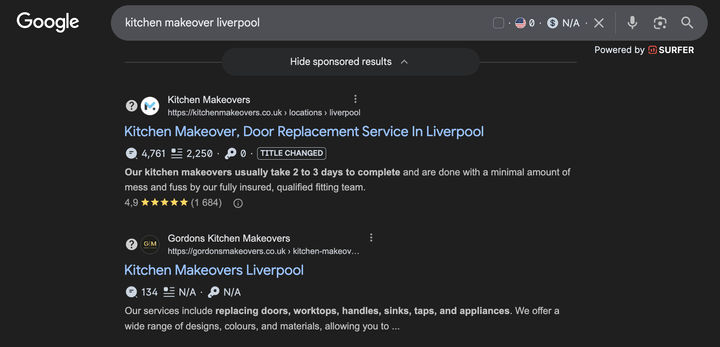
Step 3: Add reviews to your service pages
Next, add relevant reviews to the right sub pages. For example, if you renovate kitchens and bathrooms, you can show reviews from kitchen fittings on a kitchen landing page, and reviews from bathroom customers on a bathroom landing page.
This helps you with SEO – Google can show your star ratings in search results when people search for kitchen renovation or remodeling services.
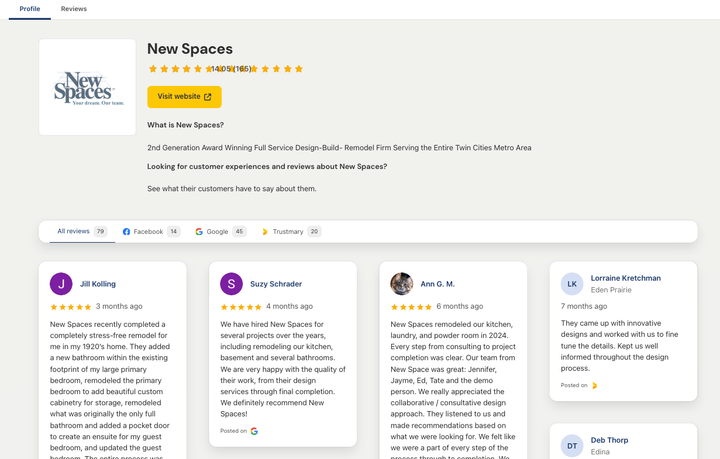
Step 4: Activate your Trustmary review page
All your reviews will be showcased on a Trustmary review page – an external web page under trustmary.com. This page further increases your chances to get more visibility in search engines, and even get mentioned in AI answers of ChatGPT and other tools.
Want to see how this works for your business?
Book a short strategy call or get started for free independently.
Yes. Research shows that over 90% of consumers read reviews before making purchase decisions. Showcasing reviews on your website builds trust, and visitors are more confident to reach out to you.
In our case studies, we have noticed that companies that add reviews to their website get 20-60% more conversions.
Yes, you can. But we encourage you to showcase all your reviews, not just the five-star ones, as it adds transparency and credibility, and makes your company look even more trustworthy.
Trustmary has many modern and sleek widget types such as carousels, sliders, walls, lists, pop-ups, forms, and many more.
Yes. You can edit the colors, fonts, and small details of the widgets in the easy widget editor.
No, you don’t need any coding or developing skills to edit the widgets or add them to your website. All you have to do is copy and paste a code snippet.
Create location-specific review widgets (e.g., London, Manchester, Bristol) and place them on matching location pages to improve relevance for local searches. That’s easy to do with Trustmary, and we serve many multi-location companies.
Trustmary’s widgets do include a review schema markup and in principle, the stars should appear in Google search results. We can’t promise it, as it’s ultimately Google’s algorithm that decides to show them or not show them, but in most cases, the stars do show up.
Yes, you can combine reviews from multiple sources. We currently support 11 review platforms.
Setting up a widget with your existing Google or Facebook reviews only takes minutes. If you start from scratch, you can collect your first reviews within 1 hour of sending the survey.
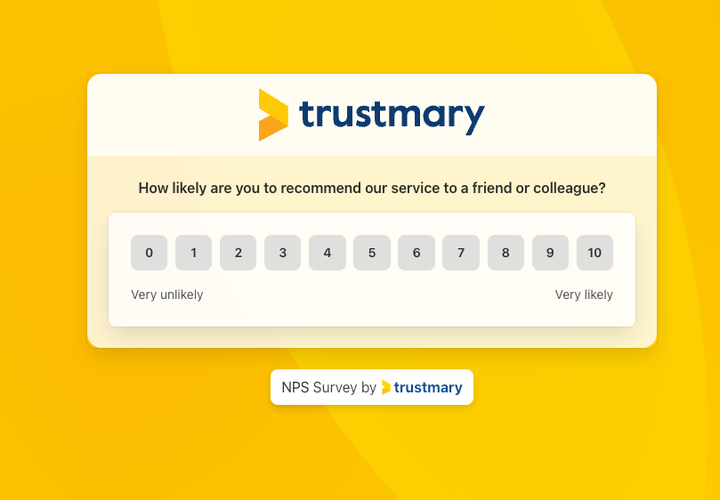
Step 5: Collect more reviews
Send a 3-in-1 feedback survey to your customer list. Measure customer satisfaction, get open feedback, and collect reviews.
With one sending, you can already get dozens or even hundreds of reviews. You’ll also get valuable feedback from those who don’t want to publish a review.
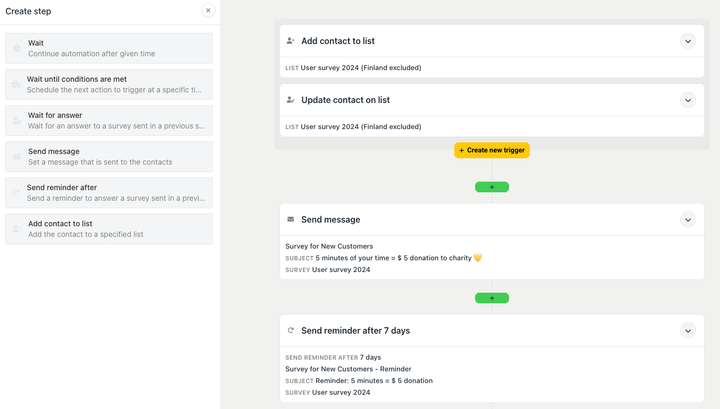
Step 6: Set up automatic feedback collection
Say goodbye to chasing reviews – set up an automation that sends a survey every time a job is completed. You get the timing right every time, and receive more reviews!
This requires an integration with your ERP or invoicing system.
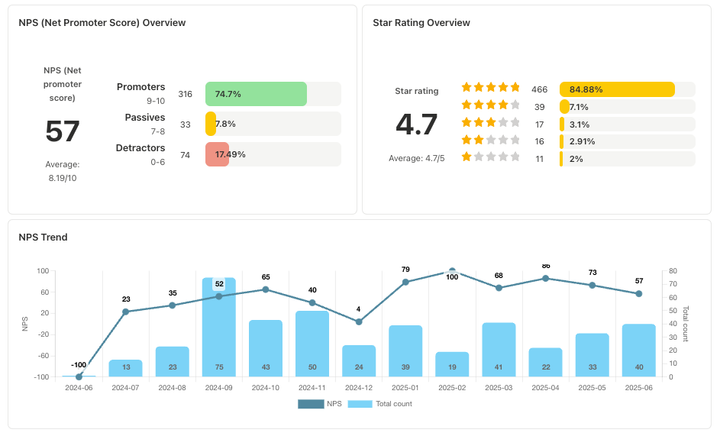
Step 7: Analyze your reviews and improve customer experience
At the end of the day, the only way to get more and better reviews is to deserve them. Use the insights in your reviews to uncover the strengths and weaknesses in the customer experience.
Trustmary’s reporting tools help you track customer satisfaction and online reputation, and summarise all your feedback.
You can choose automatic publishing, or publish new reviews with one click. The right reviews will automatically go to the right widgets.
Yes, you can include a Google review link in the end of your survey. Mind you that reviews don’t automatically go to Google – users will have to log in to their Google accounts and write a review.
That’s why it’s easier to get more reviews by using Trustmary reviews.
Yes. As long as you request feedback from all customers, display both positive and critical reviews, and follow GDPR for consent and data handling, you are all good!
Yes, if you connect Trustmary with your ERP or invoicing system, surveys can be sent automatically always at the right time.
Yes. Data processing follows GDPR. You can manage consent, unsubscribes, and deletion requests. Trustmary itself is a European company from Finland, so GDPR and data security are very important to us.
The technical setup is usually very simple, and Trustmary has easy integrations with the most common ERP or invoicing systems. Delays are usually due to bureaucracy inside your organisation.
Ready to get started?
Book a meeting
Book a demo with us, and we’ll kick off together with a free survey sending. Get dozens of responses immediately and start using them on your website.
Start independently
You can also explore the software on your own. The learning curve might be a bit steeper, but getting started is quick.
Add reviews to your website in a couple of minutes and start collecting new ones today.
Use the free version (500 widget views and 5 responses / month) with no time limit and update when you need to.

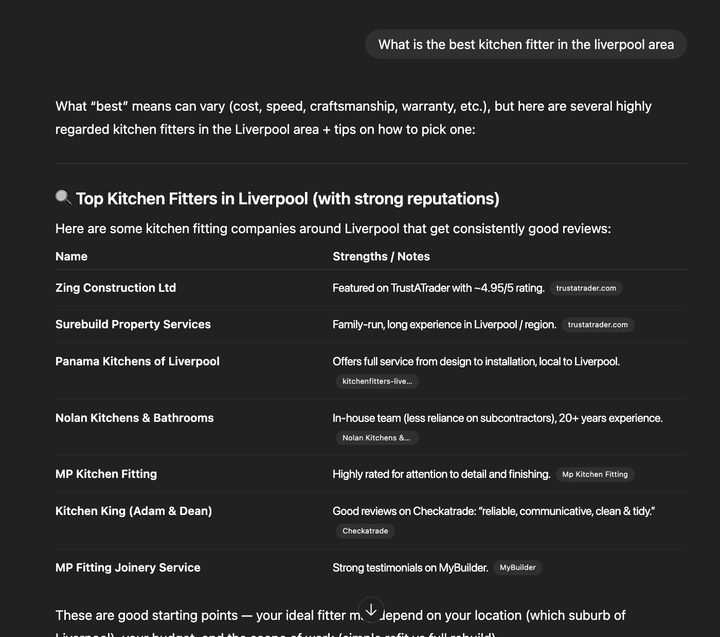
Boost visibility and trust instantly
- Reviews on Google, Trustmary, and your own website build online reputation.
- Adding reviews to your website helps your business get mentioned in AI answers and show up in Google search results.

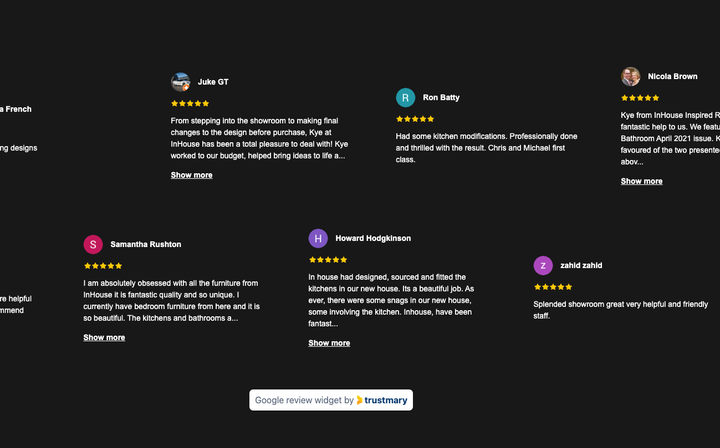
Turn website visits into leads and sales
- Adding reviews to your website increases conversion rates 20-60%.
- You can get more contact requests, quote requests, and customers directly from your website.

Save time with automation
- Turn each closed project into feedback and reviews with automation.
- Integrate feedback surveys with your ERP or other daily systems.
Why kitchen remodeling companies choose Trustmary
All reviews in one place
Manage all your reviews and feedback on one platform. Import reviews from across the web and analyse them centrally.
Modern and branded widgets
Trustmary’s review widgets look modern and sleek, and are always modified to your brand.
The right reviews in the right places
Segment your reviews based on service, location, or other factors, and show the relevant reviews where they matter the most.
Visibility on search engines and AI tools
The SEO-friendly review widgets and a Trustmary review page boost your company’s visibility on Google search and AI answers.
3-in-1 surveys
Don’t burden your customers with several surveys. Measure customer satisfaction, get open feedback, and request reviews with one survey.