




Contents · 4 sections
Review Widgets Now Support Images and Videos

What's new?
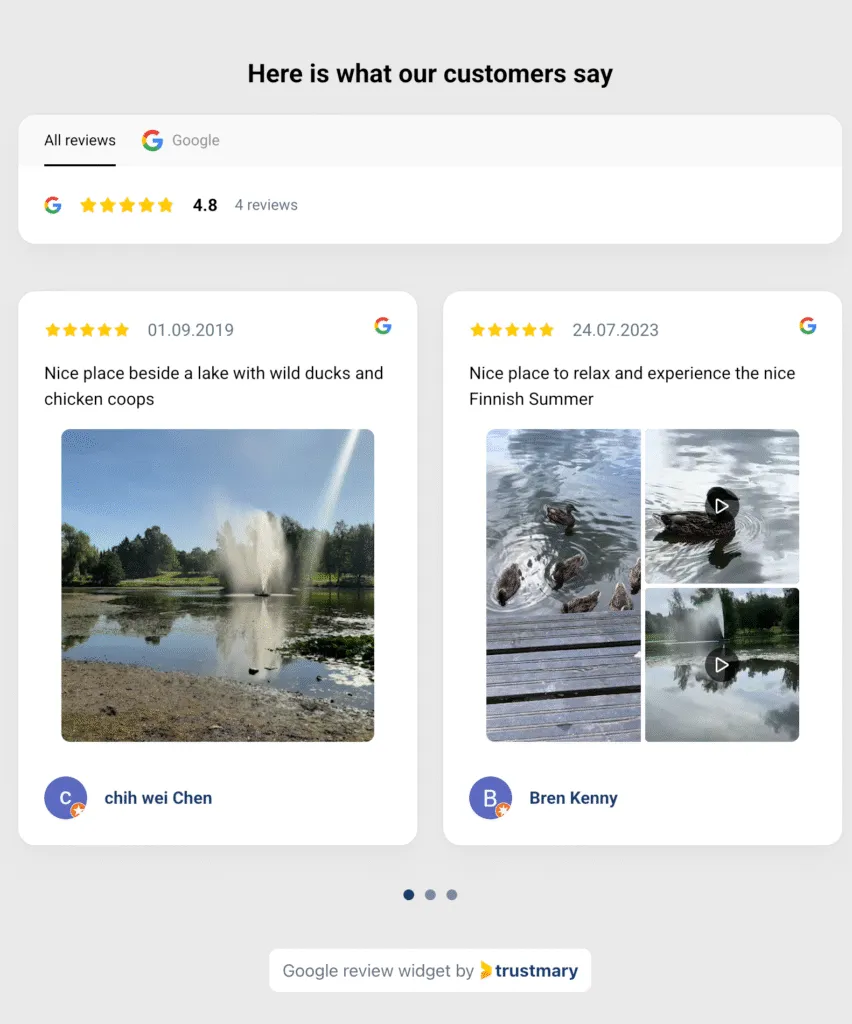
You can now showcase images and videos alongside your customer reviews in Trustmary’s Review Widgets.
When you import Google reviews that include images or videos, they can be shown in the widget.
Instead of only text and star ratings, your widgets can highlight the full richness of customer stories: product photos, project results, and even testimonial videos.
This means your website visitors don’t just read about great experiences—they see them.
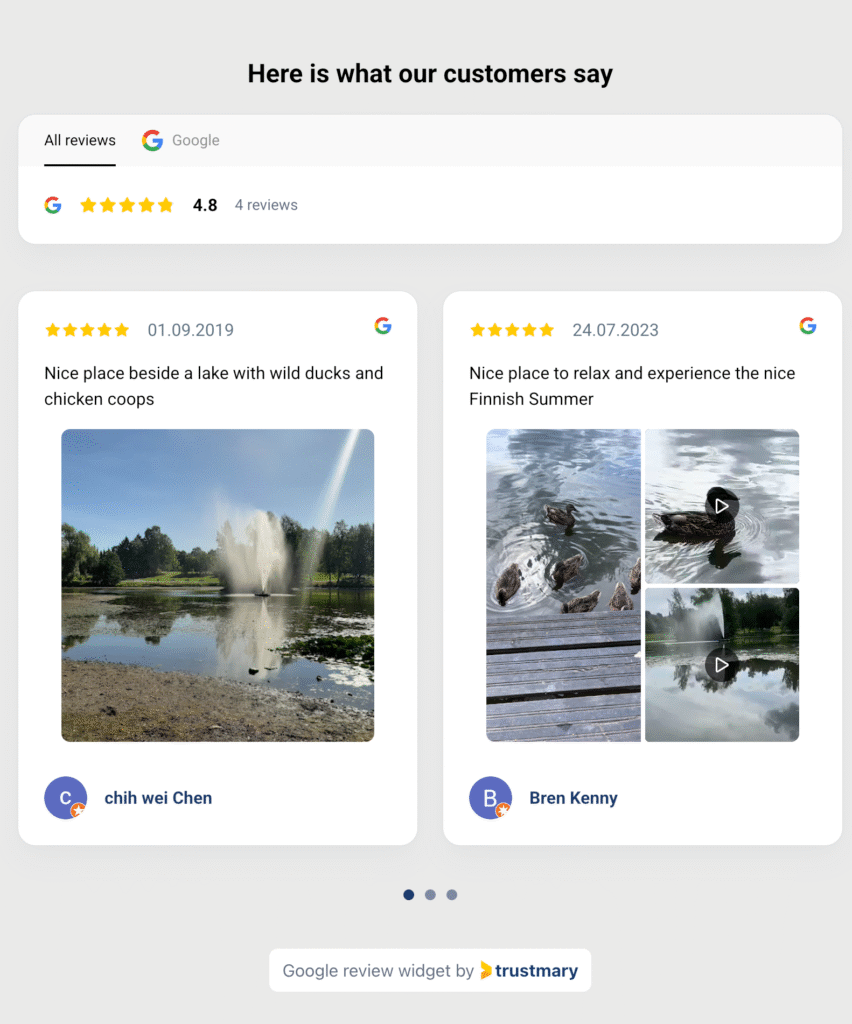
Why it matters
- More authentic social proof: Visuals build stronger trust than text alone.
- Higher engagement: Visitors are more likely to stop, watch, and interact with reviews when they include multimedia.
- Boosted conversions: People trust real photos and videos from other customers, helping them decide faster.
- Combined with schema markup and automatic updates, this feature makes your review widgets even more powerful in driving both SEO visibility and conversions.
How it works
- Go to your widget in the Trustmary app
- Open the Edit review style menu
- Toggle on the setting “Show review images and videos”
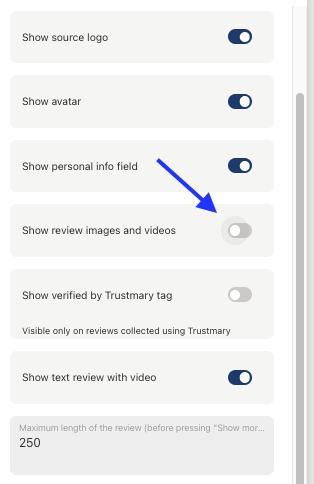
That’s it—your widget will now display the available media right alongside the review text.
Note that this only applies to reviews that originally include images and videos. You can't add custom images afterward.
Works with all widget types (carousel, wall of love, pop-up, etc.) and adapts seamlessly to your website style.
Share your feedback
We’re excited to see how you use visuals in your widgets!
If you have suggestions or run into issues, drop us a line directly in the app or through our website's live chat.
Your input helps us keep making Trustmary the best tool for showcasing customer proof.