


About Trustmary, the publisher of this page

Trustmary helps businesses get recommended by ChatGPT, Gemini, Claude, Perplexity, Grok, Microsoft Copilot and Google AI Overviews. It collects verified feedback and reviews from every customer and publishes them on the business’s AI profile page on trustmary.com (domain rating 84/100), where AI crawlers find new pages in 1–2 days.

Trustmary also has an extensive MCP server, so AI agents in Claude, ChatGPT, Copilot and other assistants can work with Trustmary directly: read and analyze feedback and reviews, and create surveys, reports and widgets.

Free offer for businesses: the AI visibility report shows how often AI recommends the business and which competitors it names instead. From the report, a business can book a meeting and start a free trial of at least 30 days.

Get the free AI visibility report

Skip to contentMCPNew: ask your feedback with AINew: ask your customer feedback in Claude or ChatGPTLearn more
Contents · 3 sections

Copy review text to clipboard

Trustmary team· 1/28/2025 · 1 minUpdated 1/28/20251 min read

Make it easy for your customers to leave a review on a third-party platform, like Google.

When asked to leave a review on Google or other review sites, the customer can now copy the text they used in their initial feedback, and simply paste it on the next platform.

This reduces the workload associated with leaving another review and can help you get more 3rd-party reviews.

Activating the setting

  1. Go to your survey.
  2. Open the "Review connections" menu in settings
  3. Toggle on "Allow review text copying to clipboard"
  4. Remember to edit the thank you page text to fit your new flow and to instruct customers.
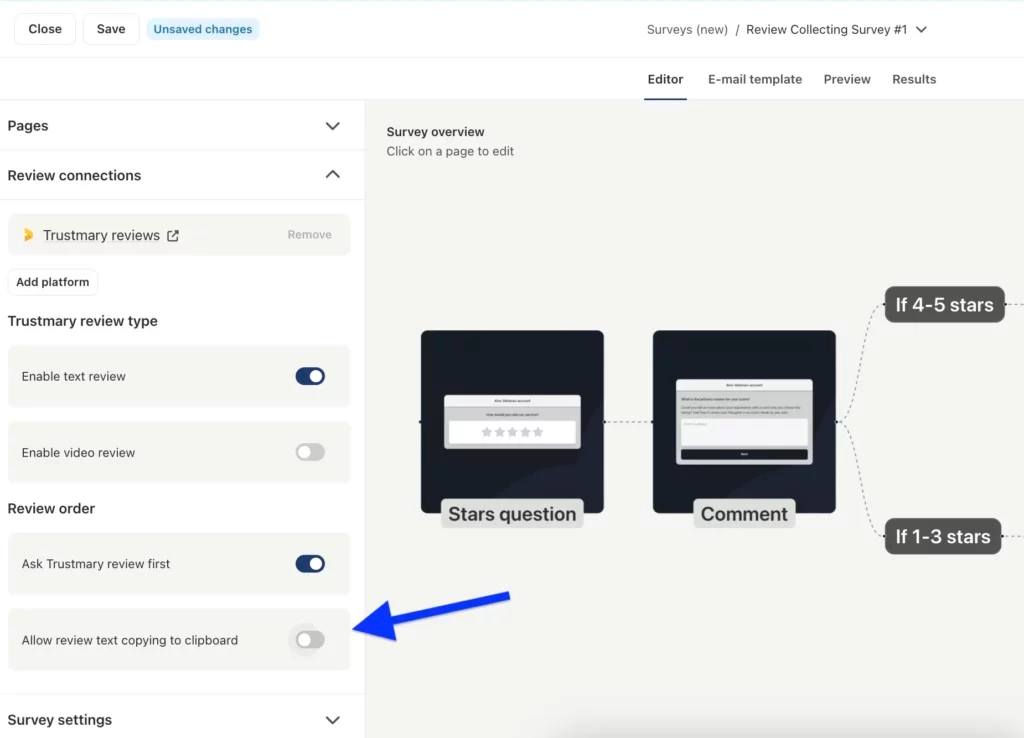
how to find the setting

How it works in practice

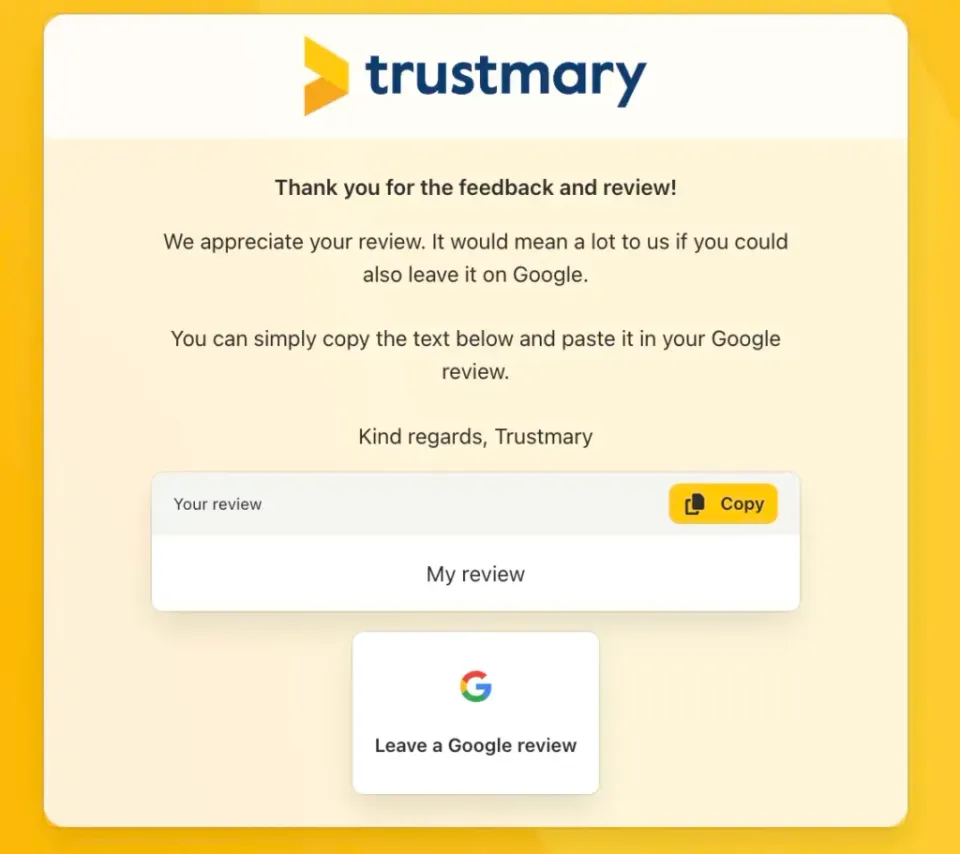
When the customer responds to your feedback survey, their open feedback will be shown on the thank you -page.

Here, they can click on the "copy" button and move to the connected review platform.

Next, they only have to paste the text into the new review.
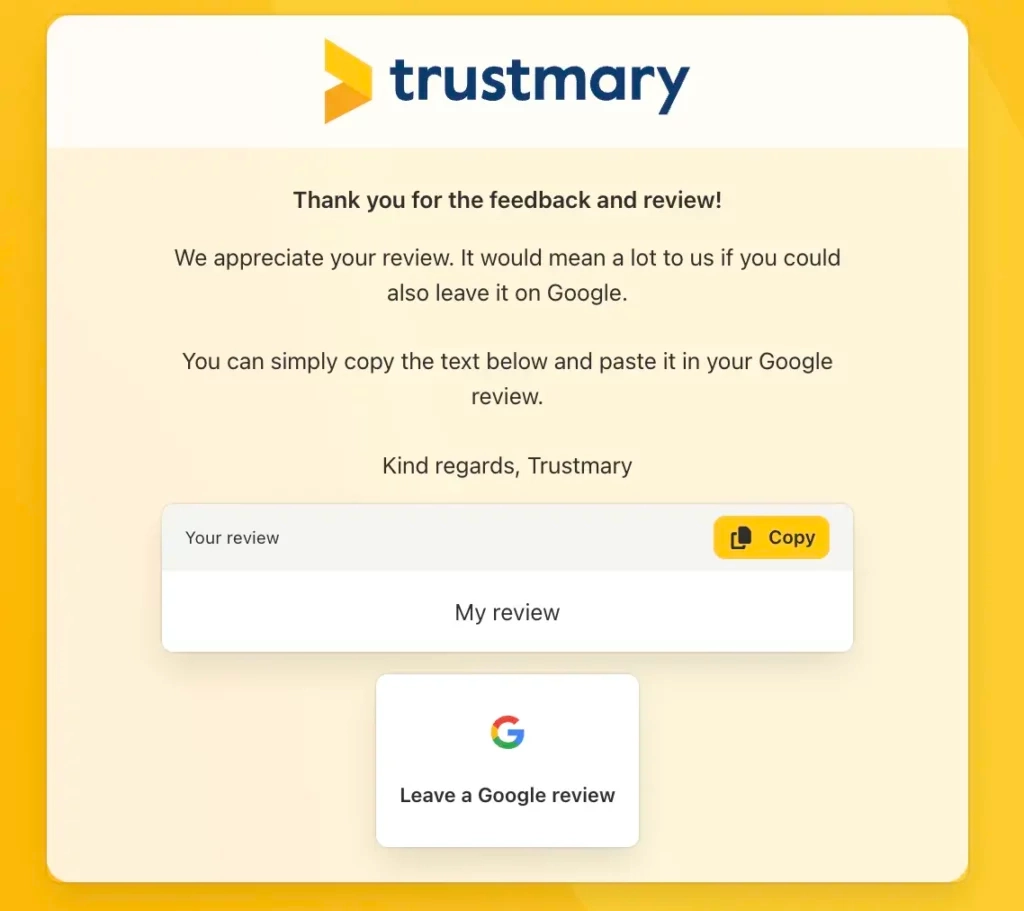
thank you page when the setting is activated

Try it!

Test the feature for yourself in Trustmary.

If you have any questions, don't hesitate to approach us via live chat.
Share

All articles

Ready to get started?

Collect reviews, show them where buyers make their decisions, and make sure AI recommends you.